Everything a PEO does. Without the co‑employment.
A PEO signs on as your co-employer to give you benefits, compliance and payroll. Benehive gives you the same services while you stay the employer. Turn them on one at a time from your company’s own portal, and leave your PEO piece by piece.
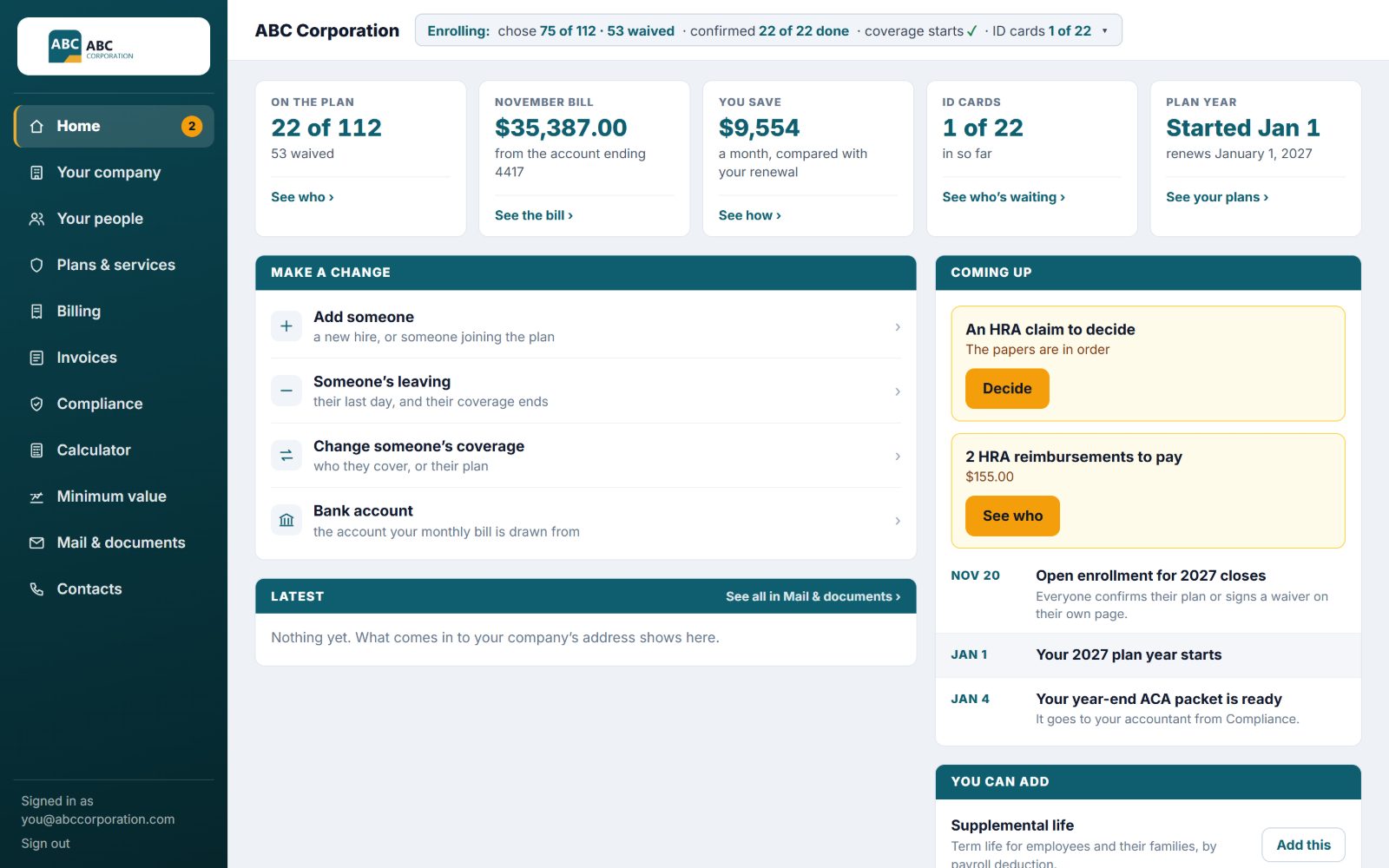
See everything you get ↓The demo is ABC Corporation, a made-up company. Open the owner’s page or an employee’s; nothing you do there is saved or sent.
- You stay the employer. Your people stay yours.
- Turn on any one service, then the next when you’re ready.
- Every record on your own page, every year.
- The software prepares it. A person approves it before it’s filed.
Does your PEO care about your employees’ information as much as you do?
Your company is already in a public government filing because of your PEO: when you join its 401(k), it lists your company’s name and tax ID with the Department of Labor, where anyone can look it up. Type your company’s name and see for yourself.
What a PEO bundles, one switch at a time
Each service gets its own area on your portal, its own files and messages, and its own line on your bill. Start with the one you need most.
Health, dental and vision benefits
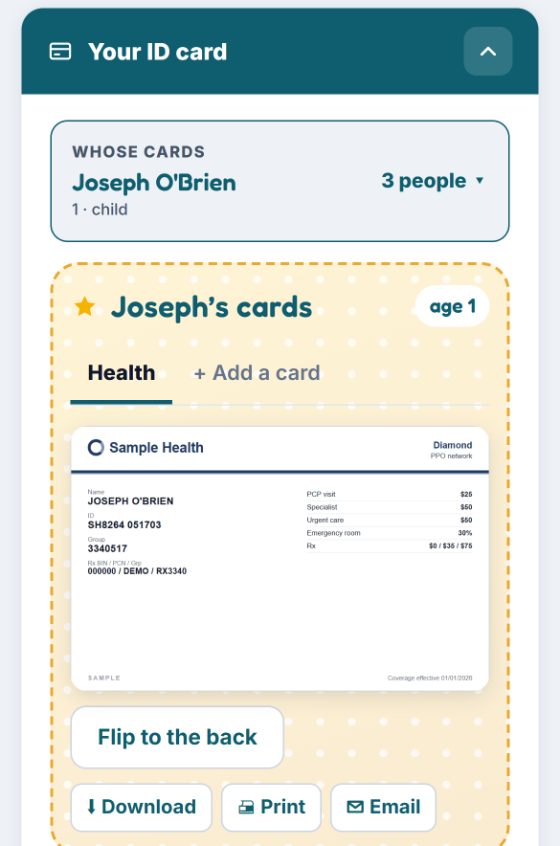
Plans for the whole company, enrollment online, and a benefits mailbox. Every employee gets their own page with their plan, their family, their ID cards and what they pay.
Compliance: the ACA forms and the proof
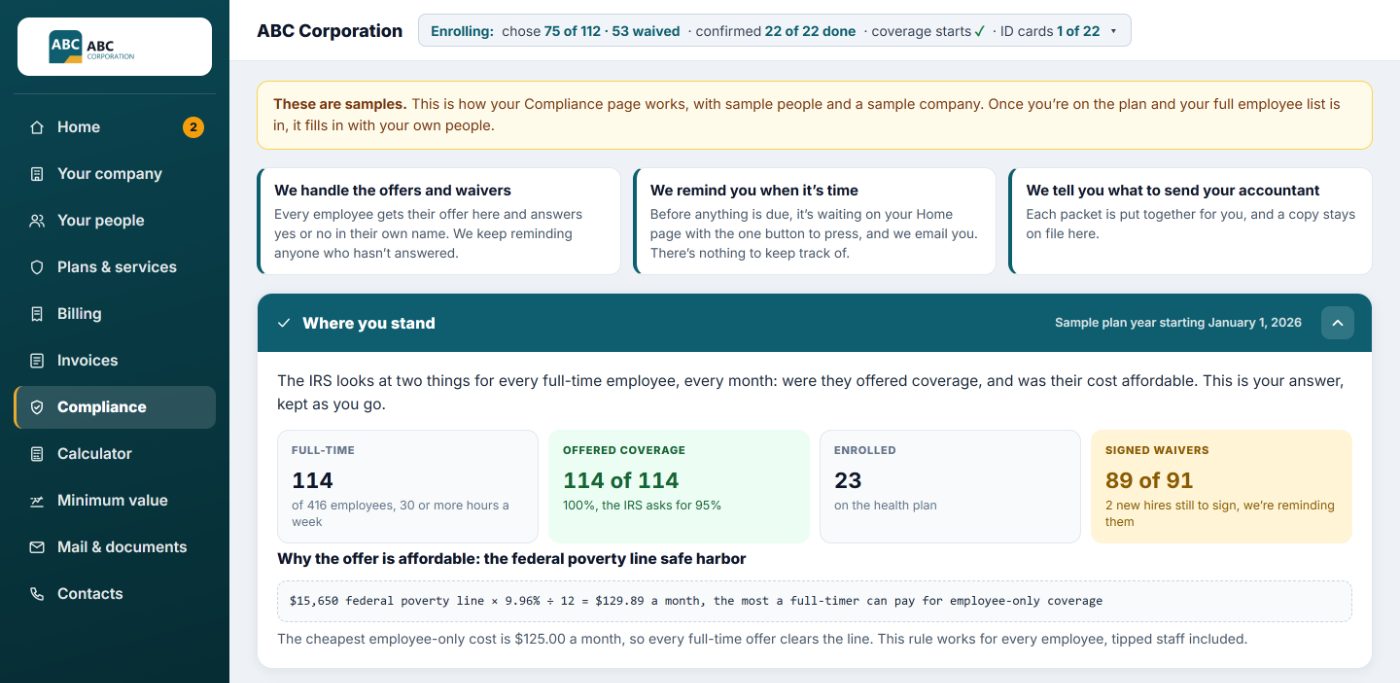
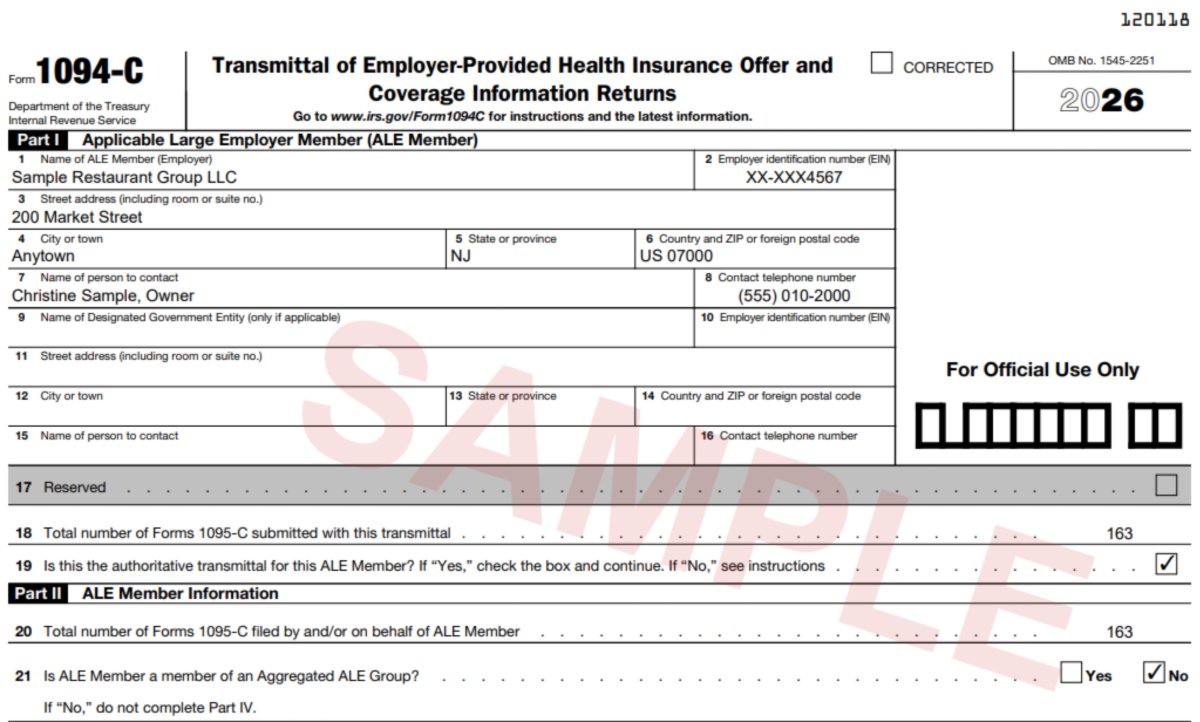
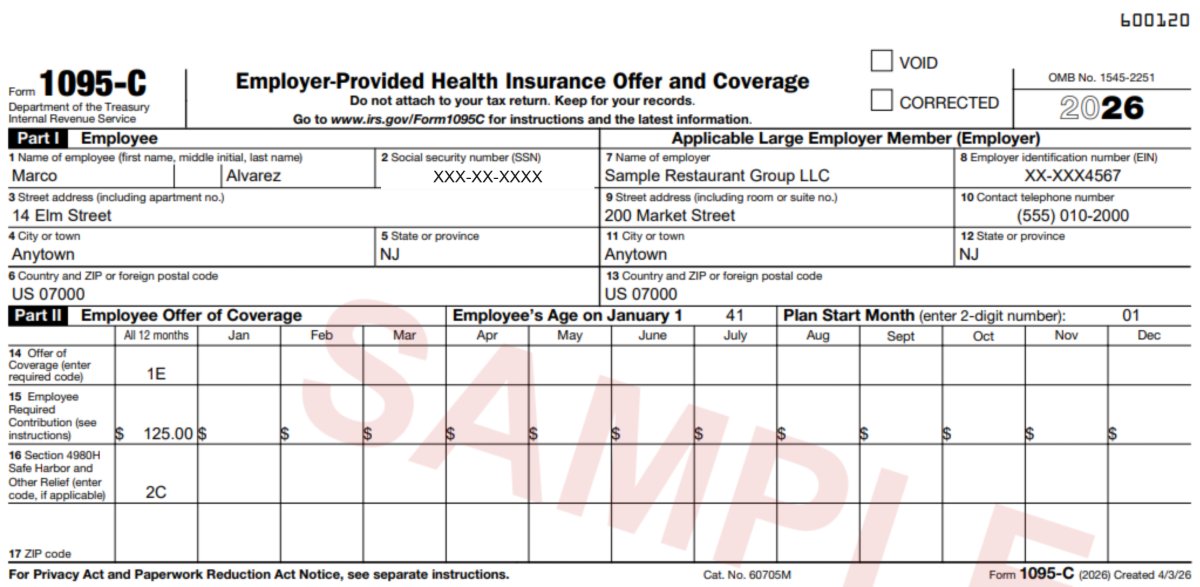
Every offer and waiver signed in the employee’s own name, a month-by-month record, the 1095-C for each employee and the 1094-C for the company, and signed waiver letters ready if the IRS sends a 226-J. How it works
Company HRA
A gap plan that helps with what the health plan leaves. Employees send claims from their own page with the paperwork; the company decides and pays from its own account. How it works
Invoices by person and class
What each class costs, what the company and each person pay, and a monthly invoice for every person, with one file for your accountant.
Merchant services
Take card payments, set up from your portal, with the cost on its own line of your bill.
Natural gas and utility audits
Your company’s natural gas set up from your portal, and we go over your utility bills and show you what you’re paying for. The cost is on its own line of your bill.
Workers’ comp
Coverage for injuries on the job, set up from your portal, with the cost on its own line of your bill.
401(k)
A retirement plan for your people, set up from your portal, with the cost on its own line of your bill.
HR help
Help with HR questions and paperwork, set up from your portal, with the cost on its own line of your bill.
Payroll and the time clock
Run by Benehive: pay by direct deposit, payroll taxes paid and filed, and a time clock on everyone’s phone. Sign up now, and your first 2027 payroll runs on Benehive. How it works
Connects with what you already use
- An open APIYour own keys and your own data, plus a spreadsheet download of every list.
- Any carrier’s plansLoad any plan with its SBC; we’re not tied to one carrier.
- Any payroll companyBring the roster and payroll you already have; the compliance forms are built from it.
- Hooks into the rest of your toolsQuickBooks, your accounting, your HR system, through the API or a download. It’s open; use it however you like.
When the IRS asks, you’ll have the proof
With 50 or more full-time employees, counting part-time hours together, the IRS expects you to offer affordable coverage and to show it every year. Most companies find out what’s missing when a letter comes, long after the year is over.
- Every monthOffers and waivers, signed as they happen
Each full-timer gets their offer on their own page and answers yes or no in their own name. We keep reminding anyone who hasn’t answered, and the record is kept the day they sign.
- Every yearThe forms, prepared for you
A 1095-C for each employee and the 1094-C for the company, on the IRS’s own forms, ready for a person to review. Employees’ copies go out by early March and the IRS gets its copy by March 31.
- If a letter comesYour answer is already on file
The IRS’s 226-J letter proposes a penalty for a past year. Each person’s offer, their signed waiver and the month-by-month record are already there to answer it.
We make the software and keep the records. We aren’t tax advisors: your accountant gets the facts, all in one place.
Payroll that already knows your benefits
Benehive runs payroll itself. There’s no outside payroll company in the middle, and your payroll, benefits and ACA forms all come from the same records. Sign up now for your 2027 plan year, and your first 2027 payroll runs on Benehive.
Your people get paid by direct deposit. We pay and file the payroll taxes, and every register, pay stub, W-2 and return sits on your page to download any time.
Every rate keeps the government’s exact words it came from and is checked against that page. A missing number stops payroll; it’s never guessed or carried over.
Scan the QR code at work and sign in with a text code. The location is checked at the punch, and reminders go out by text.
One set of records, nothing typed twice
When someone picks a plan, their deduction is already set. When they work the hours, the full-time count and their forms follow.
One page for the company, and one for each employee
Everything you turn on shows up on your company’s own portal, on your own web address, with your logo and your colors.
For the owner and HR
- HomeWhat’s waiting, whose turn it is, and the one button to press.
- Your peopleWho’s on the plan, who waived, who’s new. Add someone, or mark that someone’s leaving.
- Billing and invoicesEvery dollar on its own line, by service, by class and by person.
- ComplianceOffers, waivers and the forms, kept month by month.
- Mail and documentsEverything that came in for your company, and every document we made for you.
- ContactsWho to call for what.
For every employee
- Their plan and familyWho’s covered and what they pay.
- ID cardsTheir cards on their phone.
- Offers and waiversAnswered in their own name.
- HRA claimsSent from their page.
What a PEO costs, what the law asks, and the gap plan
Three things every company and every broker should know before the next renewal. Each one builds on the last.
What a PEO really costs
The fee is usually built into a charge per employee or a percentage of payroll, with benefits, workers’ comp and unemployment bundled together, so the company can’t see what each piece costs.
Minimum value
A company with 50 or more full-time employees has to offer coverage that’s affordable and meets minimum value, meaning the plan pays at least 60% of covered costs. Anything richer is a choice, and the company pays for it.
The GCHRA (a gap plan)
The company offers a plan at that line and adds a group coverage HRA: money it sets aside for employees’ out-of-pocket costs, like the deductible and copays. Employees claim from their own page, and the company pays only for what’s used. Benehive keeps it organized; the company decides and pays.
See it in the demo →
A raise that doesn’t cost you a raise.
When the plan costs your people less each paycheck, they take home more, and you didn’t spend another dollar to do it.
And when their share of the premium comes out before taxes, through a Section 125 plan, you don’t pay Social Security or Medicare on it. That’s 7.65% back on every dollar: $200 a month per employee is $183.60 a year in your pocket, and more in theirs.
The same services. A very different deal.
Four steps, the same for every service
- Ask
Pick the service you want next, right from your portal.
- We list what we need
One list for that service, with nothing you’ve already given us.
- Approve the price
One number, itemized on your bill by service.
- Sign, and it’s on
Sign with your typed name and the service is live on your page.